How to Create an AI Influencer Using SlideStorm
You don't need to hire a model or step in front of a camera. SlideStorm lets you generate a custom AI influencer and use them in hook + demo videos and AI-generated slideshows for advertising your app. Here's exactly how.
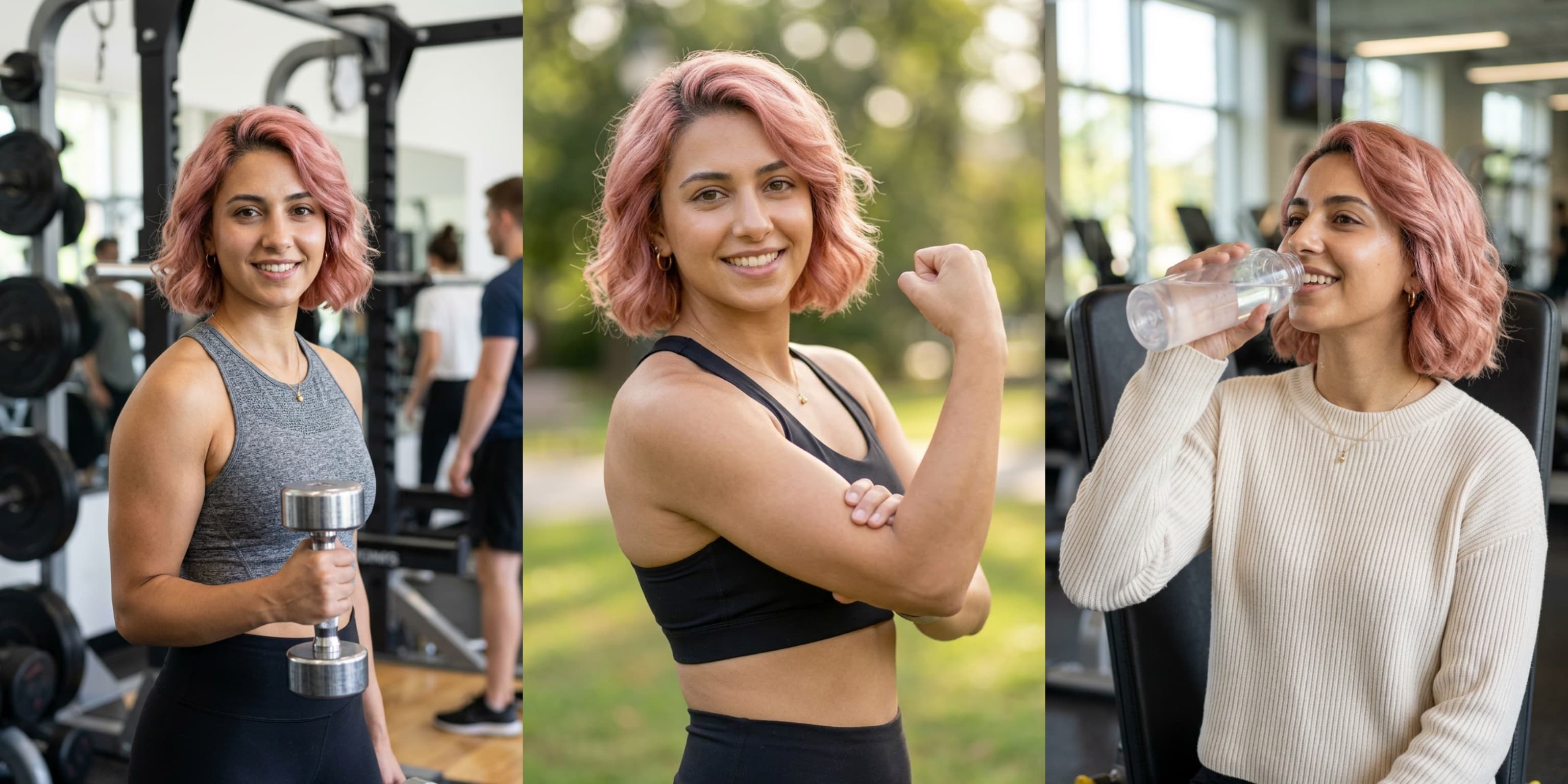
You want to run UGC-style ads for your app, but you don't have a creator to film them. Hiring one is expensive. Being the face yourself feels weird. And stock footage looks like, well, stock footage.
SlideStorm now lets you create AI influencers — realistic, AI-generated personas that you own and control. Once you've generated an influencer, you can use them in two powerful ways: create short hook videos for UGC-style ads, and generate slideshows where the same character appears consistently across every slide.
No camera. No talent fees. No scheduling headaches.
What Is an AI Influencer?
An AI influencer is a computer-generated character with a consistent face and appearance. Think of it as a virtual spokesperson for your app. Unlike stock photos or random AI images, SlideStorm's influencer system generates a consistent character that you can reuse across videos and slideshows, building recognition with your audience over time.
This is particularly powerful for app advertising. The UGC ad format — where a person reacts to or talks about an app, followed by a screen recording of the app in action — is one of the most effective paid ad formats on TikTok and Instagram right now. The problem is sourcing that person. An AI influencer solves that.
Creating Your Influencer
Head to the AI Influencers section in your SlideStorm dashboard. Click Create Influencer and you'll see a form with four options:
- Name — Give your influencer a name. This is just for your own organization, it won't appear in any content.
- Gender — Choose female or male.
- Ethnicity — Select from a range of options to customize your influencer's appearance.
- Hair Color — Pick from a wide selection including natural colors like blonde, brunette, and black, as well as creative options like pink, blue, and purple.
Hit Generate Influencer and SlideStorm's AI will create a high-quality portrait image of your character. The generation takes a moment — you'll see a loading spinner, and the page will automatically update when the portrait is ready.
Each influencer costs 1 credit to generate.
A Note on Consistency
The key advantage of the influencer system is consistency. Once your influencer is generated, their portrait becomes the foundation for everything else. Hook videos use it to animate a realistic version of that face. Slideshows use it as a reference image so the same person appears in every generated image. Your audience starts to recognize "the person" in your content, which builds trust and familiarity even though they're entirely AI-generated.
What You Can Do With Your Influencer
Once your influencer's portrait is ready, their profile page becomes a hub for two separate content creation features: hook videos and slideshows. These are independent tools — you can use one, the other, or both depending on your content strategy.
Hook Videos
From your influencer's profile page, you'll find the Generate Hook Video section. You write a simple text prompt describing the emotion, expression, or action you want. For example:
- "Looking shocked and excited, eyes wide, mouth open"
- "Nodding slowly with a knowing smile"
- "Laughing and pointing at the camera"
- "Raising eyebrows in disbelief"
SlideStorm turns your prompt into a short video clip of your influencer performing that action. The videos are generated in portrait orientation (9:16), perfect for TikTok and Instagram Reels.
Hook video generation costs 30 credits per video. All generated hook videos appear in the Hook Videos section on your influencer's profile page.
What Makes a Good Hook Video?
The best hook videos trigger an emotional response in the viewer within the first second. Think about what makes you stop scrolling:
- Surprise — Wide eyes, dropped jaw, the "wait, what?" face. This works brilliantly for "you need to see this app" style ads.
- Excitement — Big smile, nodding enthusiastically. Perfect for "this app changed everything" messaging.
- Skepticism — Raised eyebrow, slight head tilt. Great for "I didn't believe it until I tried it" angles.
- Urgency — Serious expression, leaning toward camera. Works well for "stop scrolling, you need this" openers.
You can generate as many hook videos as you want for each influencer. Experiment with different prompts until you find the reactions that resonate with your target audience.
Turning Hook Videos Into Ads
Once you have a hook video you like, click the Use in Hook + Demo button that appears on it. This takes you to the Hook + Demo creator, a three-step process:
Pick your hook video — Your AI influencer's hook videos appear alongside any stock hook videos. Select the one you want to use as the opening of your ad.
Add a caption — Write the text that overlays the hook video. This is the "I can't believe I only just learned about this app..." or "This app is literally free and nobody talks about it" type of copy. You get a live preview showing exactly how the caption will look over your hook video.
Select your demo video — Upload a screen recording of your app in action, or pick from one you've already uploaded. This is the payoff — the viewer saw the hook, now they see what the person was reacting to.
SlideStorm stitches the hook and demo together into a single, polished video. The final result costs 3 credits to create.
Slideshows With Consistent Character Images
This is one of the most powerful features of the influencer system. From your influencer's profile page, click the Use in Slideshow button beneath their portrait. This takes you to the slideshow creator with your influencer's portrait pre-loaded as a reference image.
Here's what that means: when SlideStorm generates images for each slide, it uses your influencer's portrait as a visual reference to ensure the same person appears consistently across every single image. You write a prompt describing the scenes you want — maybe your influencer using your app, demonstrating a feature, or going about a daily routine — and each generated slide will feature the same recognizable character.
When you arrive at the slideshow creator from an influencer page, things are pre-configured for you: the AI model is set to one that supports image-to-image generation, the style is set to realistic photography, and your prompt is pre-filled with a character description matching your influencer's appearance. You just need to replace the placeholder with your actual slideshow concept.
Why This Matters
Traditional AI image generators have a consistency problem. Ask for "a woman using a phone" five times and you'll get five different women. That's useless for building a brand or running content where the same person needs to appear across multiple images.
The reference image approach solves this. Your influencer's portrait acts as an anchor, so every image in the slideshow features the same face, the same hair, the same general appearance. The result is a slideshow that looks like it was photographed with a real person, but was generated entirely by AI.
Slideshows created from an influencer page are linked to that influencer. You can find them all in the Slideshows section on your influencer's profile.
Managing Your Influencers
You can create up to 20 influencers per account. Each one maintains its own library of hook videos and slideshows, so you can run content for multiple apps or test different personas for the same product.
From the influencers index page, you can:
- View any influencer and their generated hook videos and slideshows
- Delete an influencer when you no longer need them (this also removes their hook videos)
- Create new influencers as your content strategy evolves
Tips for Getting the Most Out of AI Influencers
Match the influencer to your audience
A fitness app might want an energetic, athletic-looking influencer. A productivity app might want someone who looks polished and professional. Think about who your target users would trust.
Build a library of reactions
Don't generate one hook video and call it done. Create a range of emotions and expressions. Different ad angles call for different hooks, and having a library ready means you can produce new ad creatives fast when you need to test variations.
Write hooks that create curiosity gaps
The caption overlay is just as important as the facial expression. The best hooks make the viewer feel like they have to see what comes next. "Wait, this app is free?" works better than "Check out this cool app" because it creates a question the viewer wants answered.
Use slideshows for organic content
Hook + Demo videos are great for paid ads, but slideshows are perfect for organic TikTok and Instagram content. Generate a slideshow of your influencer in different scenarios related to your app's niche — lifestyle shots, day-in-the-life scenes, before-and-after transformations. Because the same face appears in every slide, it feels like a real person's content, which is exactly what performs well organically.
Test multiple combinations
The beauty of this system is speed. You can mix and match different hook videos, different captions, different demo recordings, and different slideshow themes to produce dozens of content variations quickly. Run them all, kill the ones that don't work, and scale the ones that do.
Keep demos short and punchy
Your demo video should show the most impressive or useful part of your app in action. Don't try to do a full walkthrough. Show the "wow" moment — the thing that makes someone download. Fifteen to thirty seconds is plenty.
The Bigger Picture
AI influencers aren't about tricking anyone. They're a practical tool for app developers and marketers who need content at scale without the overhead of traditional creator partnerships. Used well, they let you iterate on creatives faster, test more variations, and find winning combinations without burning through your budget on talent and production.
Between slideshows with consistent character imagery and hook + demo videos, you have a complete content engine — organic posts and paid ads, all featuring the same recognizable character, all produced without a camera or a creator.
The apps winning on paid social right now are the ones testing aggressively. If "I can't find a creator" or "UGC is too expensive" has been your blocker, that excuse just disappeared.
Create your first AI influencer on SlideStorm and start producing content today.